Business Intelligence
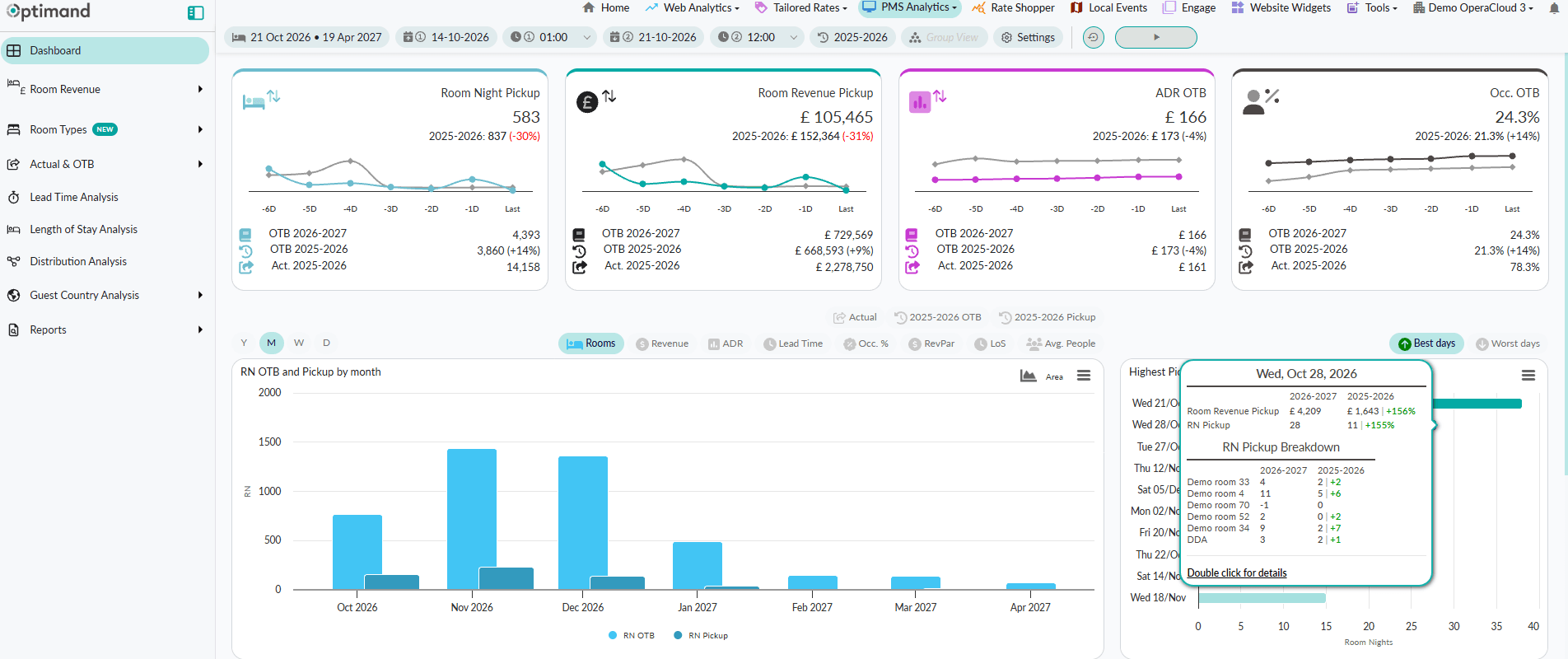
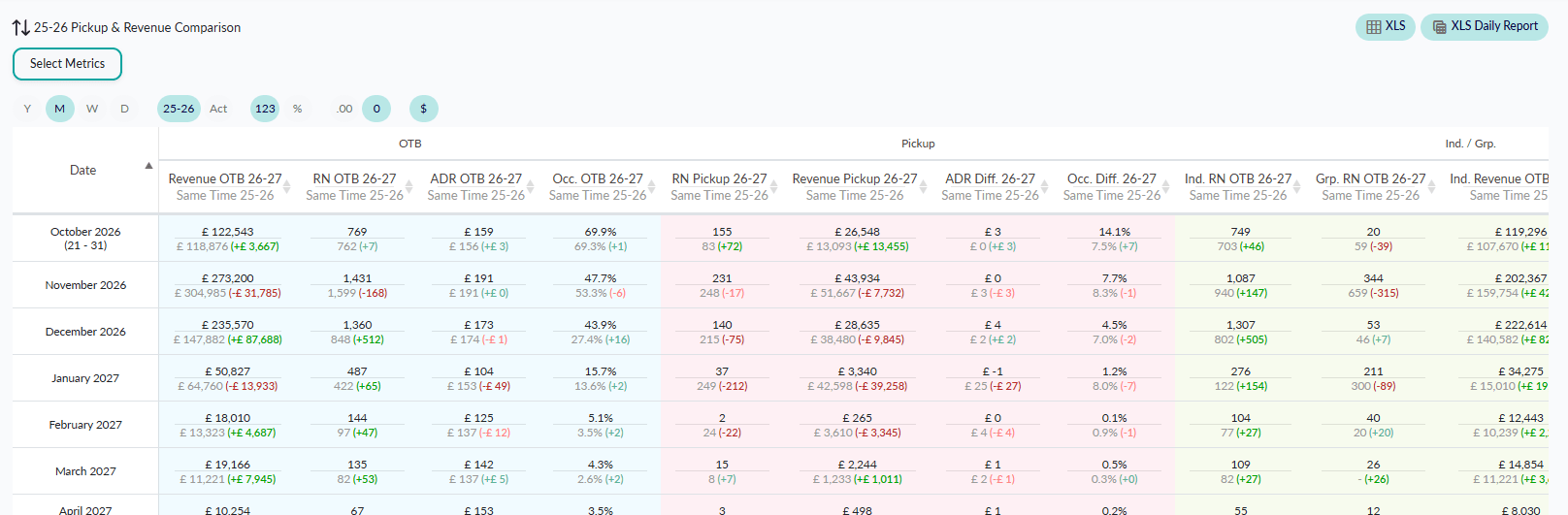
- On the Books and Pickup: track room nights, revenue, ADR, occupancy and RevPAR, including changes from new bookings, modifications and cancellations.
- Booking Pace: follow how business builds for future stays and identify dates with the highest or lowest net pickup.
- Historical Comparisons: compare current performance with previous years’ On the Books, final actuals and budget, aligned by calendar date or weekday.
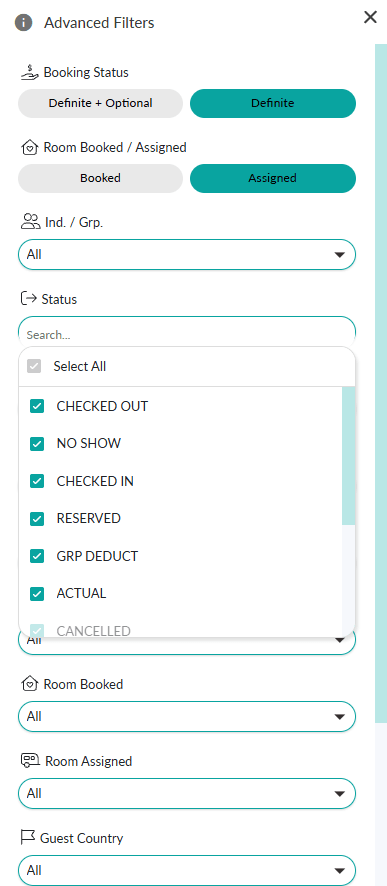
- Rooms Booked vs Rooms Assigned: compare booked and assigned room categories to analyse upgrades and allocation changes.
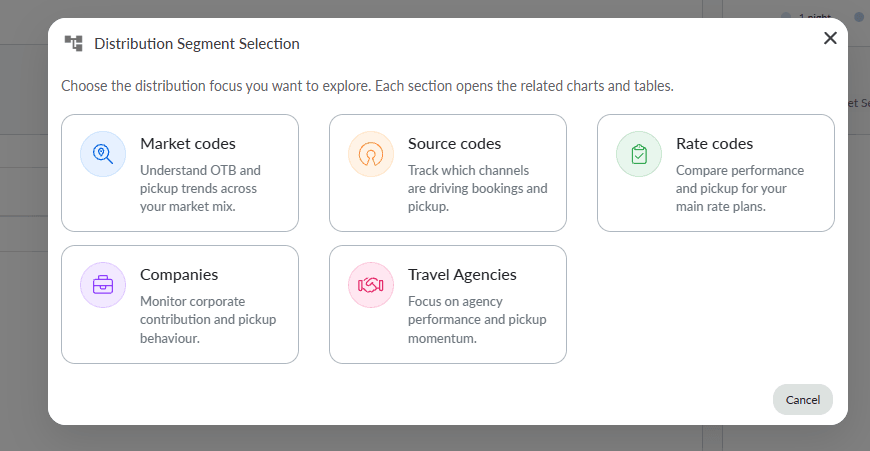
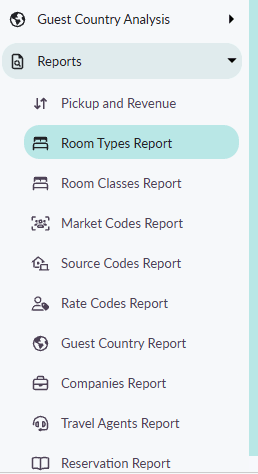
- Market Segment and Business Mix: analyse performance by room category, market segment, source, channel, rate code, company, travel agency and guest country.
- My Dashboard: build personalised dashboards with drag-and-drop PMS widgets, combining the metrics and charts most relevant to your team, which can be shared internally with your management team.
- Individual vs Group Business: compare room nights, revenue, ADR and pickup across individual and group reservations.
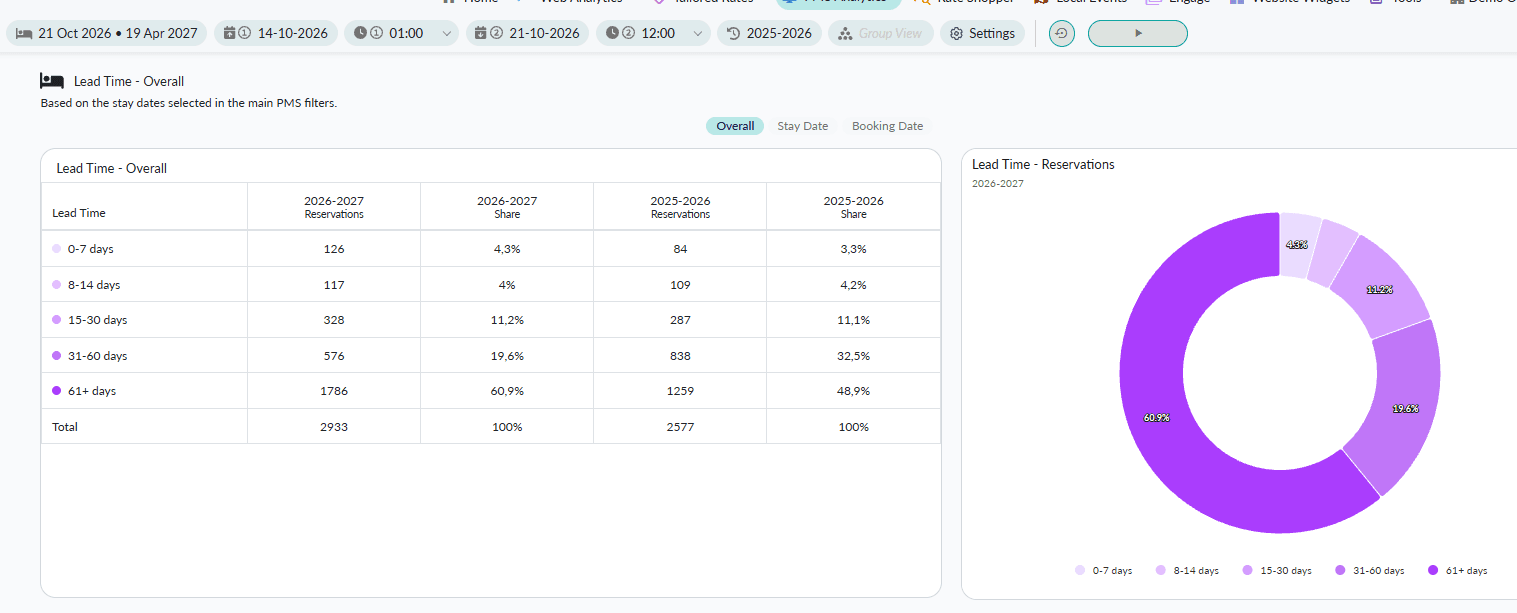
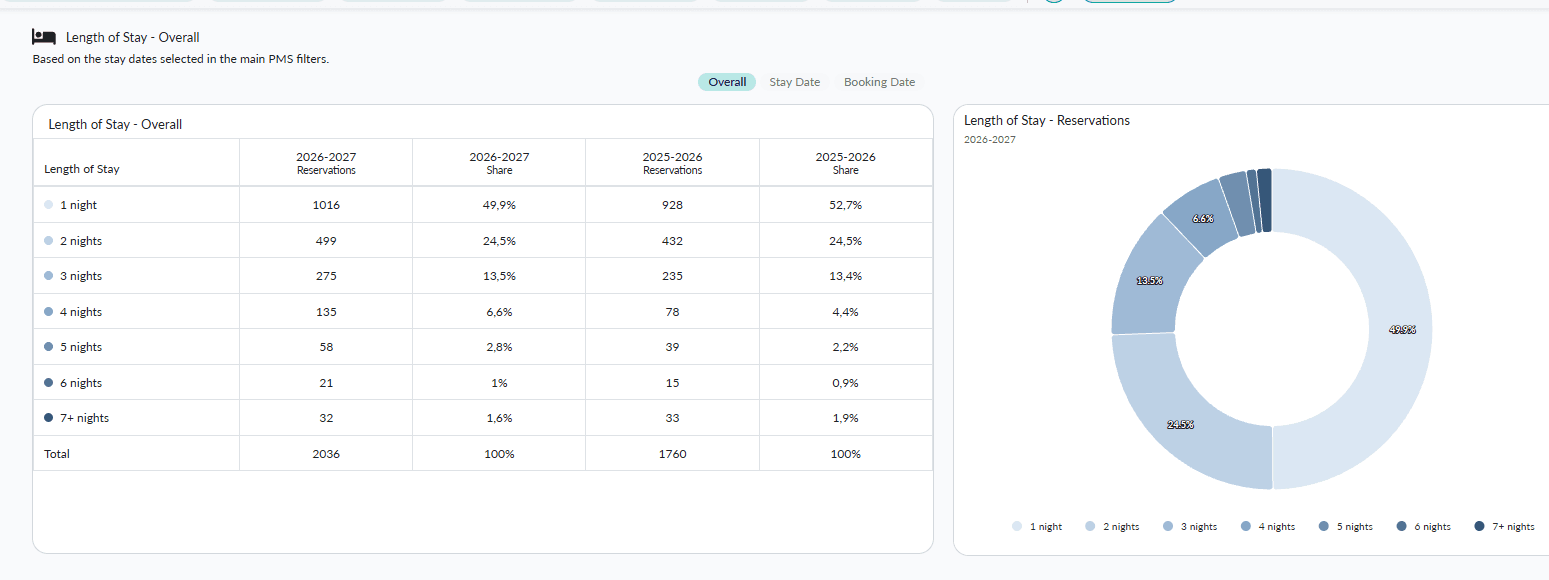
- Booking and Stay Patterns: explore lead time, length of stay and day-of-week performance.
- Cancellations and Reservation Status: analyse cancelled reservations and distinguish definite from optional business.
- Inventory and Availability: monitor remaining room availability, accounting for configured capacity and seasonal closures.
- Revenue Breakdown: analyse Room, Food & Beverage and Other revenue, with configurable mappings and net or gross views.
- Reservation Detail and History: inspect reservation-level data and retained changes to dates, status, room categories and revenue, with Excel exports.
- Multi-property Analytics: analyse individual hotels or consolidate multiple Mews properties into a group view.
Budget Calculator
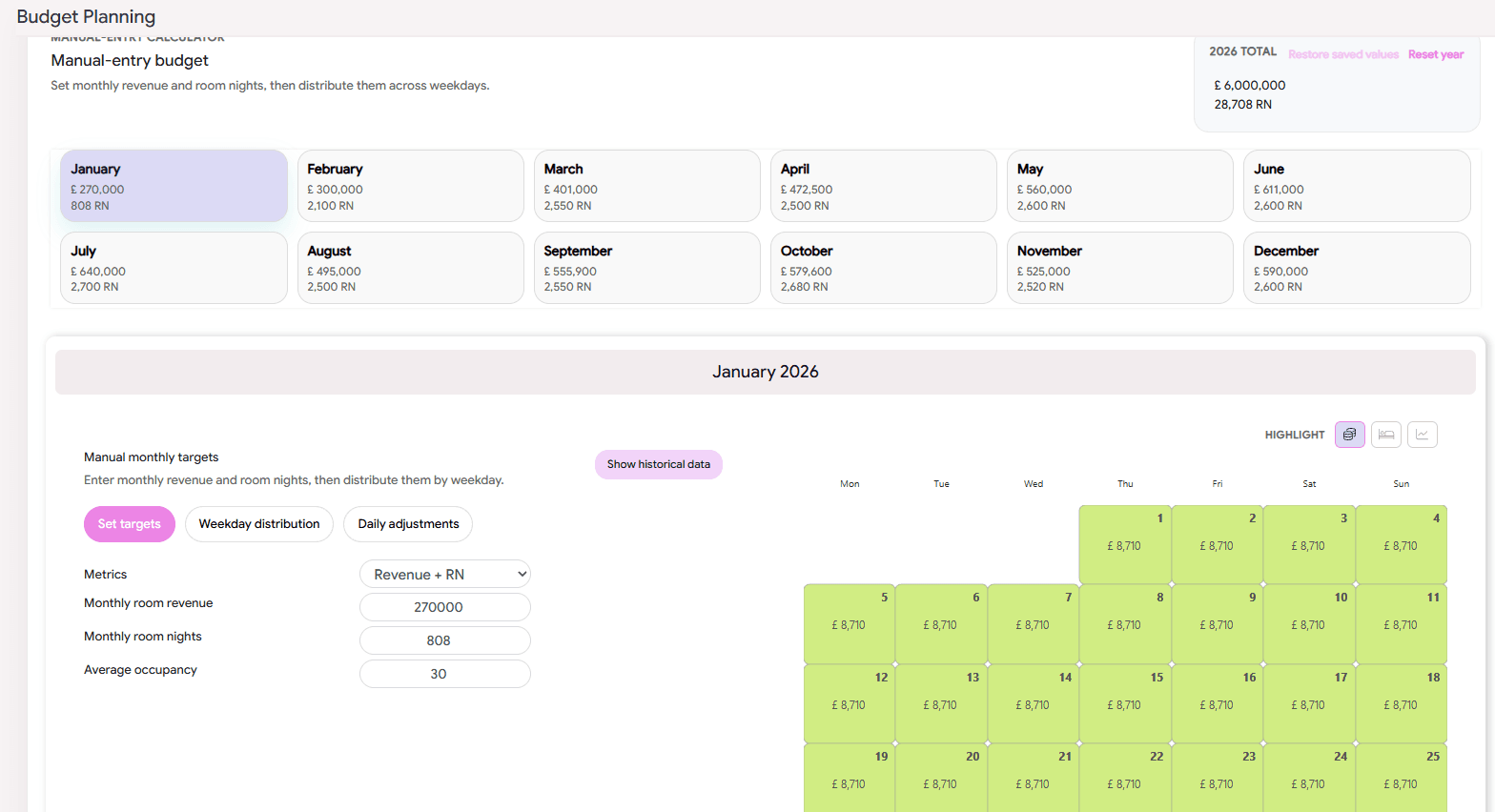
Create budgets from historical data or manual monthly targets. Apply assumptions for revenue, ADR and occupancy, distribute targets across weekdays and supported segments, and adjust individual dates. Compare performance against the saved budget in analytics and reports.
Custom Reporting
Configure reports with multiple pages or worksheets, selectable data, columns, metrics, filters, sorting and comparison periods. Schedule email delivery every morning or on selected days at your preferred time and timezone.
Bespoke reports can also be developed with property-specific calculations, layouts and group summaries.
Property-specific configurations
The integration supports tailored rules for connecting rooms, complimentary stays, house use, day use, group classifications, seasonal closures and inventory. Revenue mappings can account for board components, additional services, adjustments and applicable cancellation revenue.
Discover more with OPTIMAND
Your PMS data is only part of the picture. Explore the OPTIMAND platform to understand demand before it becomes a booking, monitor competitor pricing and strengthen your direct channel.
With Web Analytics, discover what guests are searching for and which campaigns convert.
Add Rate Shopper for competitive pricing insights, Tailored Rates for targeted direct-booking benefits, and Engage and Website Widgets to support the booking journey.
Getting started with Web Analytics is simple: our team can configure tracking directly in your Mews Booking Engine through Google Tag Manager.
Contact us to explore the modules that best fit your property.
Product Gallery