
Key takeaways
- A POS is not just for transactions; it can be used as a vital part of your hotel’s tech and operational ecosystem.
- Modern point-of-sale cash registers support operations and help make data-driven decisions possible.
- A POS system speeds up processes and reduces manual errors, ensuring that all transactions are successfully recorded.
- A point-of-sale system is a strategic asset to your hotel’s everyday activities.
A point-of-sale cash register combines hardware and software to process payments, record sales data and connect to inventory. But a POS goes beyond handling just common tasks, acting as a central hub for hospitality operations. When used to its full potential, it can serve as a strategic asset for running day-to-day operations more efficiently.
By leveraging a POS as both a transactional tool and a centralized system, you can make smarter, more data-driven business decisions. This guide will help you better understand point-of-sale cash registers, including how they work, their use cases, their benefits and how to choose the right system. With these insights in mind, you can better optimize operations and support long-term growth.
What is a point-of-sale cash register?
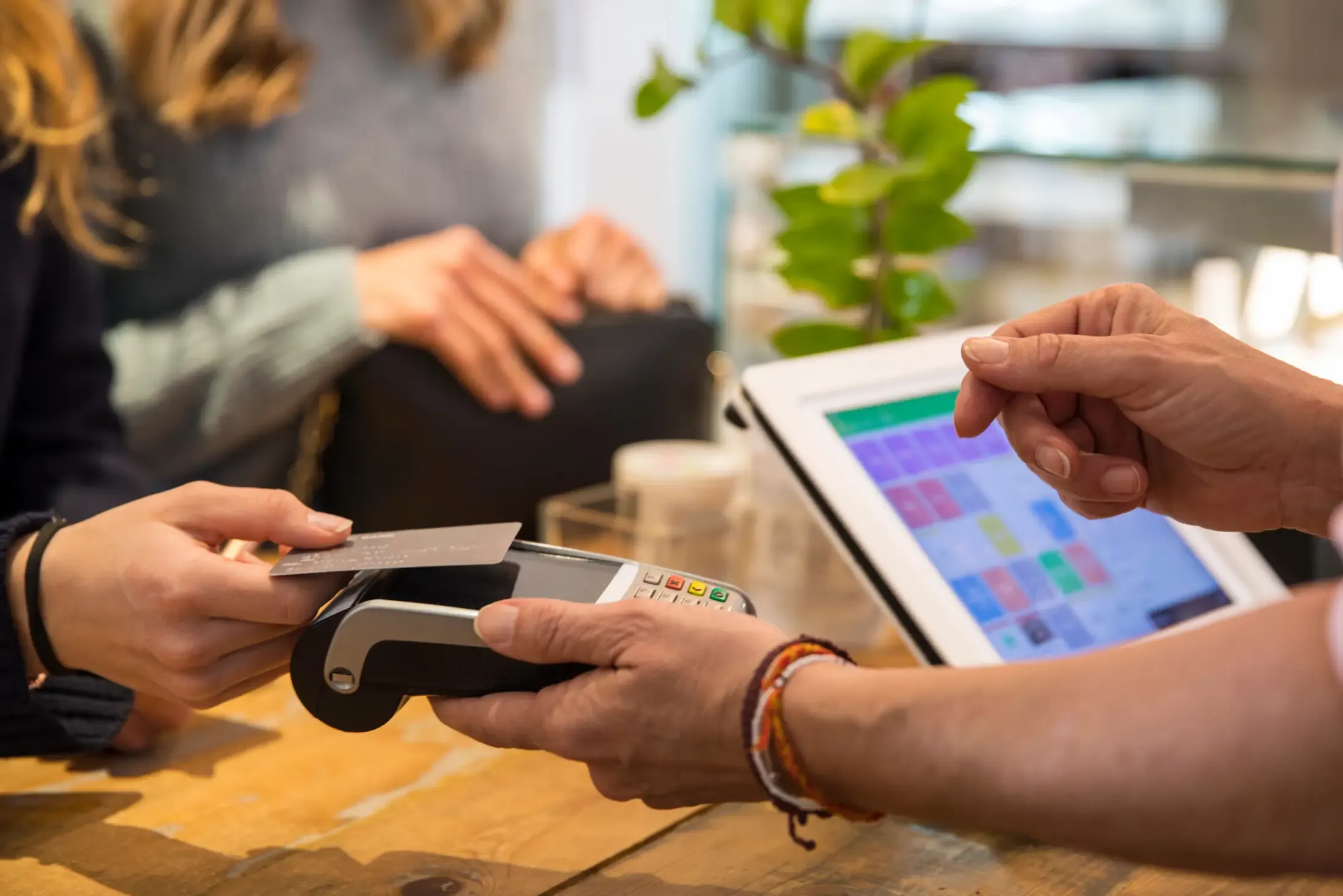
A point-of-sale (POS) cash register is a system used by hoteliers to manage orders, complete sales transactions and record payments. Modern POS systems combine both hardware and software to support these processes. Hardware may include touchscreen terminals, barcode scanners or tablet devices, while the software processes payments, records sales data and connects with other essential business tools.
Traditional cash registers were only used for transactions, whereas modern POS systems are designed to support operations and provide data insights into inventory and sales. This allows hoteliers to access real-time sales reports from anywhere, driving a more data-centric and strategic approach to running a hotel.
How does a POS system work in hospitality?
A hospitality POS is designed to support the complex workflows that hotels manage daily. It connects front-of-house activity to back-end operations, turning both ends of the workflow into one smooth operation. Orders flow from the servers to the kitchen, payments sync with your PMS and when menus, prices or availability change, they are reflected across all outlets in real time. This level of automation helps teams stay organized, reduces communication errors and keeps service running smoothly, even during the busiest periods.
Beyond the basics, modern POS cash registers facilitate seamless billing, accurate reporting and overall operational efficiency. By centralizing ordering, payments, table management and back-of-house operations in one system hotels can deliver consistent service – guests are dining at the pool, visiting a café or enjoying in-room service.
Below we’ll explore some of the key use cases that help highlight how a POS enhances the guest journey across all touchpoints.
Hospitality use cases
A POS can centralize transactions throughout your property, unifying ordering, payments and reporting for a smoother guest experience.
Restaurants and bars
In hotel restaurants and bars, a POS does more than send orders to the kitchen. It can also split bills, keep track of a bar tab and apply special requests to guest orders, helping operations run smoothly and enhancing the overall dining experience.
Beyond just guest-facing tasks, POS also supports operational intelligence. It tracks inventory in real time, automatically deducting items as they are sold so procurement teams know what to reorder and when.
Cafés and grab-and-go outlets
Speed and accuracy are essential in cafes and grab-and-go outlets, especially in the morning or during busy conference breaks. A POS can speed up service with features like barcode scanning, quick select menu options and mobile payments, helping to reduce queues.
It also manages pricing and inventory throughout the day, helping staff restock efficiently so outlets always remain fully operational.
Poolside, rooftop or event-based service
Mobility is key for poolside lounges, rooftop bars and event spaces. Handheld POS devices allow staff to take orders and settle tabs anywhere on the property. Orders go directly to the kitchen, letting guests enjoy service without leaving their sunbed or table. This creates a relaxed and enjoyable experience for guests who want convenience without interruption.
Handheld devices can also be used during events to manage multiple group tabs, track consumption and apply special pricing rules on-the-go. The more mobile your staff can be to respond to guests’ needs, the more revenue opportunities your hotel can capture, while also delivering top-notch service.
Room charges linked to guest folios
A POS integrated with your property management system (PMS) enables seamless room charging. The POS and PMS work together to create a transparent and efficient billing experience.
Guests can order room service, drinks at your hotel bar or a poolside coffee and charge it directly to their room. Transactions flow into the guest folio, ensuring accurate billing and a smooth checkout experience. This reduces errors, prevents disputes and enhances guest satisfaction while ensuring all charges are properly recorded.
Example POS cash register workflow
A typical workflow with a point-of-sale cash register starts with an order being made at one of the outlets on your hotel’s property. The staff member then inputs the order into the POS. From there, the system calculates the totals, including taxes and any service charges (if applicable).
The payment is then processed, by a physical credit card, a mobile wallet or by charging it directly to the guest’s room. This data then syncs with your hotel’s PMS, providing real-time reporting, inventory tracking and seamless billing. This integration ensures accurate records and makes settling the guest’s bill at checkout smooth and error-free.
Key components of a POS register
When choosing a POS, focus on the features that will have the greatest impact on your hotel’s operations. Understand the hardware and software essentials, the integrations required and the connectivity options needed to keep everything running smoothly.
Hardware
Evaluate hardware based on your operational needs. If you accept cash, you’ll need a cash drawer integrated into your POS setup. Depending on the layout and facilities of your hotel, touchscreen terminals, tablets or both may be required.
Front desk, bar and restaurant outlets typically also need receipt printers, card readers and payment terminals. Modern POS hardware is compact and efficient, unlike the bulky cash registers of the past.
Software
Essential POS software allows staff to manage orders, menus and multiple payment options. Robust reporting and analytics tools are also critical to making your operations data-driven and optimizing revenue and inventory management.
Integrations
A fully integrated POS connects all elements of your operation into a single, unified workflow. It creates one unified process and gives a holistic view of performance across every outlet.
When deciding on a POS, make sure you choose one that can integrate with your property management system (PMS), accounting or finance tools and inventory or stock management systems. This way you can ensure information flows from one system to another and between departments, reducing the risk of discrepancies or delays.
Connectivity
A modern POS should offer strong connectivity features that keep your operations running smoothly across your property. Choose a POS with cloud-based access and real-time data sync across outlets and locations. This allows managers and staff to log in from anywhere, ensuring business continuity, accurate reporting and fully unified operations – whether you manage multiple outlets or just one.

Benefits of a POS register
A POS cash register does more than just process simple transactions. It’s a central tool that helps your business run faster, smarter and more consistently.
Faster service and reduced check-out times
A POS speeds up service with smooth ordering and payment processing, allowing staff to serve guests quickly, reducing check-out times and allowing operations to flow better – even during peak service times. Mobile payments and scannable barcodes can even allow guests to take purchases into their own hands, further reducing wait times.
Fewer manual errors in orders and payments
Automated calculations, clear menu layouts and streamlined payment processing reduce errors in orders and payments. With charges being uploaded automatically to the guest’s folio, you can ensure no payment gets overlooked. This also means cleaner financial records and fewer voids or corrections.
Better visibility into sales performance
Real-time reporting gives managers insights into revenue, staff performance, peak periods and best-selling items. This in turn allows them to make smarter, more data-driven decisions based on real sales volumes.
Improved staff efficiency and training
Working with a user-friendly device like a POS makes training quicker so that staff feel more confident in less time. This also applies to new team members – by having an intuitive interface, they can quickly learn the system and gain confidence. Tasks that used to be manual, like adding tips, splitting bills or applying discounts, become easy.
Enhanced guest experience
A POS also enhances the guest experience by offering flexible payment options and consistent service across all outlets. Guests can pay with digital wallets, cash and charge directly to their room, ensuring convenience and accuracy.
Standardized prices, workflows and menus mean guests receive the same reliable service whether they are at the bar, pool, restaurant or any other outlet. This consistency boosts guest satisfaction and ensures a unified brand experience throughout their stay.
What to look for in a point-of-sale register
Choosing the right point-of-sale register is important for smooth operations, empowered staff and consistent guest service. Hotels have unique needs, so it’s important to focus on features that truly impact performance and to choose a POS designed specifically for hoteliers. Below are some key considerations when evaluating a POS for your property.
Ease of use
A POS should have an intuitive interface so staff can be efficient from day one. Easy-to-learn systems help reduce training time and manual errors while also getting team members up to speed quickly.
Hospitality-first design
Hospitality-focused POS systems support complex workflows, including room charging, multiple outlet management, mobile ordering and table management. This allows your team to deliver exceptional service anywhere on the property.
Scalability
As your property grows, your POS should scale with you – whether that be for a single outlet or multiple properties. A scalable POS ensures consistency, centralized reporting and a smooth addition of new outlets without disrupting operations.
With a flexible POS, you can manage menus, pricing and availability across all points of sale, rolling out updates instantly to every outlet. This gives hotels the freedom to expand their service offerings and open new revenue streams.
Integration capabilities
A POS must integrate smoothly with your PMS, payment systems, inventory tools and loyalty systems. This ensures orders, payments and guest information flow from one system to the next without any friction, reducing manual work and ensuring accuracy. Working under one integrated system is one of the pillars of operational success.
Cloud-based architecture
Cloud-based POS systems support automatic software updates that can be scheduled during downtime, reducing interference with operations, especially during peak hours. Real-time reporting and remote access give managers visibility from anywhere, helping maintain smooth operations even off-site.
Reliability and security
A POS is central to daily hotel operations, so reliability is critical. Look for stable performance, fast response times and high uptime – even during peak hours. Hotels want to ensure their team can work confidently and have a smooth experience with no delays.
Strong data protection and encryption are equally important. Features such as end-to-end encryption, tokenization, secure user permissions and role-based access controls create a secure and dependable foundation for your operations.
Investing in a POS register
A POS register is no longer just a tool for processing payments – it’s a core operational system. The right POS supports revenue optimization, operational efficiency and better guest experiences. It must also connect smoothly with your wider tech ecosystem, a non-negotiable in today’s hospitality landscape.
Platforms like Mews connect POS transactions directly to guest profiles, creating a seamless experience across every touchpoint. By unifying payments, operations and reporting in one platform, Mews empowers hotels to scale efficiently while leveraging a POS system designed for future-minded hoteliers.
Curious to see how Mews can take your hotel to the next level? Get a demo.
What is a point-of-sale cash register?
What is a point-of-sale cash register?
A point-of-sale cash register is a system used by hotels and other retail businesses to process sales transactions. It combines both hardware and software to handle payments, keep track of inventory, process payments and manage day-to-day operations.
What is the difference between a cash register and a point-of-sale?
What is the difference between a cash register and a point-of-sale?
A cash register is a basic machine used by retail businesses to process transactions, record totals, store cash and print receipts. A point-of-sale system, on the other hand, has the same functions as a cash register, plus it goes a few steps further, tracking inventory, processing multiple payment types, generating detailed sales reports and syncing up to your tech stack through the cloud.
What are the 4 types of POS systems?
What are the 4 types of POS systems?
The four types of POS systems are: terminal POS, mobile POS, cloud-based POS and kiosk POS. A terminal POS is hardware that stays put on a counter or front desk, whereas a mobile POS is portable and can be run on a phone or tablet. A cloud-based POS runs on the internet, allowing remote access and scalability, and a kiosk POS is operated by customers with a touchscreen and operates on the cloud.
What is the disadvantage of POS?
What is the disadvantage of POS?
Most POS systems rely on an internet connection, which means if your Wi-Fi goes down, your system won’t be able to process payments. They can also be costly, with ongoing software subscriptions and hardware expenses. Staff may require time and training to be comfortable with the system, which can slow things down at first. And since POS handles a lot of sensitive information, they can be targets for data breaches and present other security risks.