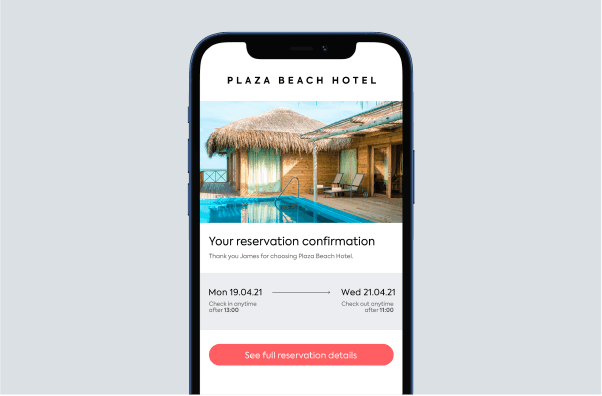
Key takeaways
- A hotel booking confirmation email sets expectations and reassures guests immediately after booking.
- Clear structure, consistent tone and relevant visuals make information easy to absorb and build trust.
- Confirmation emails should guide guests toward next steps, not just confirm a reservation.
- When guest communication is connected and automated, it feels more personal while reducing manual work.
Sometimes, it's the little things that elevate a good guest experience to a great one. Emails are the perfect example. Every hotelier sends emails to hotel guests, and the first – some would say most important – touchpoint once a booking is made is the hotel booking confirmation email.
A confirmation email might seem purely functional, but it carries more weight than most guest communications. In this article, we break down what makes a strong hotel booking confirmation email, what to include and how to use it to improve the guest experience from the very first interaction.
What is a hotel booking confirmation email?
A hotel booking confirmation email is the automated message sent immediately after a guest completes a reservation. At a basic level, it confirms that the booking has gone through and outlines the key details of the stay. But in practice, it does much more than that.
This email reassures guests that everything is in order, sets expectations for arrival and gives you a direct line of communication while excitement is still high. Done well, it also opens the door to online check-in, upgrades and a smoother guest experience long before they reach your front desk.
Why focus on your hotel booking confirmation email?
For a hotelier, the booking confirmation email is an invaluable touchpoint with customers. Industry benchmarks show that transactional and automated emails, including booking confirmations, often achieve open rates of over 60% in the travel and hospitality sector. In short, this is one message guests actively expect and almost always read.
There's another compelling reason to spend some time on your booking confirmation emails: online check-in. Encourage guests to check in online in your confirmation email for hotel booking, and you'll dramatically improve your online check-in conversion.
Why is this a good thing? More online check-ins mean less stress on your front desk team. It means more time for personable conversations and a smoother guest journey for those who want it.
But for online check-in adoption to improve, you need to tell your guests about it, and the booking confirmation email is the ideal place.
How to create an effective hotel booking confirmation email
You already know that confirmation emails are important. Let's get into the specifics of making them outstanding.
Don't overwhelm your guests
Email marketing is a great way to upsell, but a confirmation email isn’t the place to showcase everything you offer. At this first touchpoint, focus on the essentials and keep key information easy to find.
There are some non-negotiables that you must include:
- Reservation number / booking ID
- Room type
- Dates of stay
- Address with a map link
- Total rate
- Check-in / check-out times
- Online check-in details
- Clear contact information, ideally with a direct chat option
It may seem like a lot, but when the details are clear and easy to scan, guests will appreciate having everything in one place. Format information line by line so it’s quick to reference later.
There’s room to upsell a couple of popular add-ons, but keep it light. A simple “Upgrade your stay” section is enough for now.
Use clear subject lines and strong CTAs
Confirmation emails don’t need clever subject lines. Including your hotel name and booking reference makes it easy for guests to search and find later. And yes, there's room to be personable, but don't go overboard.
For example:
Boring: Booking confirmation – Ocean View #BR1234
Welcoming: Put it in your diary! Your stay at Ocean View is booked – #BR1234
Calls to action (CTAs) work best as buttons rather than text links, as they’re more noticeable and drive more clicks. Make sure buttons stand out visually and use clear, action-focused language. For instance, if the button links to online check-in, don't just say "Click here". Say "Check in online now".
Automate and personalize email sends
Confirmation emails should be sent automatically as soon as a booking is made. Manual sends create delays and increase the chance of errors, while hotel reservation software helps automate the process and pull accurate booking details without extra effort.
Personalization matters too. Using guest names, stay details or room types makes the email feel more relevant and reassures guests that everything is set for their arrival.
Optimize for mobile devices
Most guests read emails on their phones, so your confirmation email needs to be easy to read on smaller screens.
Stick to simple layouts, readable text and easy-to-tap buttons. Always preview emails on mobile as well as desktop to make sure nothing gets lost or is hard to use.
Stay on brand
Your booking confirmation email should reflect the same tone and personality as your website. When the language feels inconsistent, it can break the experience and create uncertainty for guests.
For example, a boutique hotel with a relaxed, casual website tone might send a confirmation email like this:
Dear Mr Brown,
This email is to confirm your hotel reservation on 21/05/26 – 28/05/26. Payment via credit card will be taken 10 days in advance.
Contact 01234 567890 for any questions.
This type of formal, transactional language clashes with the brand experience. A more aligned version could read:
Hey Tom,
Just wanted to let you know that your stay at Hipster Hotel is booked and we're already making the towels extra fluffy, ready for your arrival.
Everything you need to know for now is here in this email – check it out and drop us a line if you want to chat. We can't wait to meet you.
Choose visuals that inspire
In your hotel booking confirmation email, words perform the more functional role of giving guests the key information they need for their stay. Pictures, on the other hand, evoke emotions.
Use imagery that highlights your onsite amenities, whether that's a pool, bar, restaurant or anything else that might get your guest excited. Using room images without segmenting by room type, however, can lead to mismatched expectations.
Speak your guests' language
Communicating in a guest’s preferred language improves clarity and comfort. Use your booking data to identify priority languages and focus translations there.
If you're lucky enough to have a CRM tool, it should let you automate the email based on the location or language preference of the guest. But always include an English option as a fallback.
FYI, there are plenty of customer management integrations on Mews Marketplace.
Key elements to include in a hotel booking confirmation email
A good confirmation email covers the essentials without feeling like a receipt. The goal is to reassure guests that everything is booked, answer their immediate questions and keep the excitement going.
Reservation and booking details
Start with the basics. These details should be easy to spot and even easier to scan:
- Confirmation number
- Guest name
- Room type
- Check-in and check-out dates
Format them as a list or table so guests don’t have to hunt for information.
Payment and cancellation information
Be clear about what’s been paid and what’s coming next. Make sure guests can quickly see:
- Total cost and payment method
- Any deposits already taken
- When the final payment is due
- Cancellation terms and deadlines
Clarity here avoids confusion and awkward follow-up questions later.
Check-in instructions and hotel contact details
Help guests arrive without friction by including the practical essentials:
- Full property address with a map link
- Check-in times and arrival instructions
- Contact options such as phone, email and chat
The easier it is to reach you, the more confident guests will feel.
Upsell opportunities and next steps
Use the confirmation email to guide guests toward what comes next:
- A small selection of add-ons like breakfast, spa access or upgrades
- A clear call to action for online check-in
Keep it helpful and focus on what genuinely improves the stay.
Common mistakes to avoid in hotel confirmation emails
Even small errors in your booking confirmation email can damage guest confidence. Here's what to watch for and how to fix it.
Examples of hotel booking confirmation email templates
Not every property speaks the same way, and your confirmation emails shouldn’t either. Here are three flexible templates you can adapt to fit your style and guest experience.
Standard confirmation email template
Subject: Your stay at [Hotel Name] is confirmed – #[Booking ID]
Hi [Guest Name],
Great news! Your reservation at [Hotel Name] is confirmed. Here's everything you need to know:
Your booking details
- Confirmation number: [Number]
- Check-in: [Date], from [Time]
- Check-out: [Date], by [Time]
- Room type: [Type]
- Guests: [Number]
- Total: [Amount]
Getting here
[Hotel address with map link]
Need a ride? [Link to transportation options]
Before you arrive
Want a smoother arrival?
[CTA button: Check in online and skip the queue]
Got questions? We’re always happy to help.
[Contact options]
See you soon,
The [Hotel Name] team
Luxury hotel confirmation email template
Subject: We're preparing for your arrival – [Hotel Name] #[Booking ID]
Dear [Guest Name],
Your reservation at [Hotel Name] is confirmed, and we’re already getting everything ready for your stay.
Your stay
- Confirmation: [Number]
- Arrival: [Date], from [Time]
- Departure: [Date], by [Time]
- Accommodation: [Premium room type]
- Total: [Amount]
Elevate your experience
Our concierge has curated these additions to make your stay even more memorable:
- Private airport transfer in our [vehicle type]
- In-room champagne and canapés on arrival
- Couples spa treatment at our award-winning wellness center
[CTA button: Personalize your stay]
Your arrival
[Address with map]
Our team will be waiting to welcome you personally.
If there’s anything you’d like arranged in advance, your dedicated concierge is just a message away.
[Contact details]
With warm regards,
[Name],
Guest Relations Manager
[Hotel name]
Self-check-in confirmation email template
Subject: Your room is ready – Check in now at [Hotel Name] #[Booking ID]
Hey [Guest Name],
Your booking at [Hotel Name] is confirmed. If you’d rather skip the front desk, you can check in online right now.
Your booking
- Confirmation: [Number]
- Dates: [Check-in date] to [Check-out date]
- Room: [Type]
- Total: [Amount]
Check in online – It takes about two minutes
[Large CTA button: Complete check-in now]
Once you’re checked in, you’ll receive your digital room key so you can head straight to your room on arrival.
Find us
[Address with map link]
Parking: [Details and access codes, if needed]
Add to your stay
- Breakfast for two: [Price]
- Late checkout until [Time]: [Price]
[CTA: Add extras]
Need a hand? Just text us.
[Number]
See you soon,
[Hotel Name]
Perfecting guest communication
Your booking confirmation email might seem like a small detail, but it sets the tone for everything that follows. When it feels thoughtful, clear and on-brand, it reassures guests they’ve made the right choice.
The key is to treat it as part of a bigger conversation, not a one-off message. When your communication flows smoothly across the guest journey, each touchpoint builds on the last.
Mews helps make that easier by connecting the tools behind your guest experience, so messages stay consistent without creating more work for your team. With automation and smart triggers, you can send the right email at the right moment, from booking confirmation to post-stay follow-up.
The result:
- Guests feel informed, welcomed and looked after
- Teams spend less time on manual emails
- Every interaction feels joined up, not rushed or robotic
When communication works quietly in the background, guests notice it for all the right reasons.
Want to learn more?
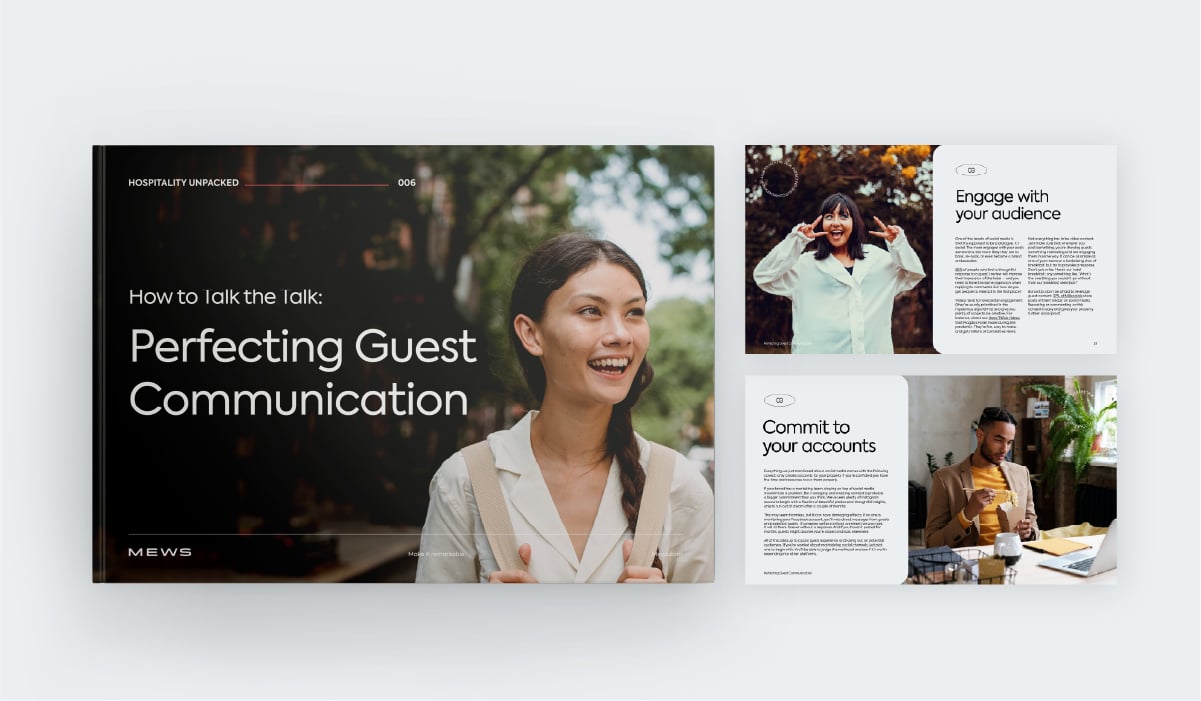
Download our guide "Perfecting Guest Communication"
Can a hotel booking confirmation email reduce no-shows and cancellations?
Can a hotel booking confirmation email reduce no-shows and cancellations?
Yes. Immediate confirmation emails with clear booking details reduce uncertainty and buyer's remorse. Including cancellation policies upfront helps guests make informed decisions early.
Should confirmation emails include upsell offers like upgrades or add-ons?
Should confirmation emails include upsell offers like upgrades or add-ons?
Yes, but limit offers to two to four high-value items. Guests are most receptive to upsells immediately after booking when excitement is high.
How soon should a booking confirmation email be sent after a reservation is made?
How soon should a booking confirmation email be sent after a reservation is made?
Instantly. Automated systems should trigger confirmation emails within seconds of booking completion. Delays create anxiety and reduce open rates significantly.
Can booking confirmation emails help with brand building?
Can booking confirmation emails help with brand building?
Absolutely. Consistent tone, quality visuals and personalized messaging in confirmation emails reinforce brand identity and set expectations for the entire guest experience.
How can confirmation emails improve the overall guest experience before arrival?
How can confirmation emails improve the overall guest experience before arrival?
They provide reassurance, set clear expectations and enable guests to prepare. Including online check-in options and local recommendations creates anticipation and convenience.
Written by
Tom Brown
When Tom isn't creating outstanding marketing content for Mews as Principal Copywriter, he writes fiction for himself. Either way, he only uses the best words.